Apple Investigating Reports Of ‘Serious Battery Failure’ On iPhone 8 Plus

Apple has admitted it’s looking into multiple reports of  swelling batteries in its new flagship iPhone 8 Plus smartphones.

Pictures on social media and growing reports from tech websites and mainstream news media have shown a number of the high end iPhone 8 Plus handsets that appeared to have split alongside the side, forcing the screen to come away from the main body of the phone.


The issue seems to appear during charging. The issue also appears to be global, with several similar faults being reported in Europe, Asia, and North America, suggesting that the fault may be more than just a single bad batch, although how many are original reports are authentic is still unknown.

An Apple spokesperson said the company was currently looking into the issue, but the company has not elaborated further at the time of writing. Several devices have however, allegedly been collected by Apple partners and returned for investigation by the tech giant.

Fire in the disco?
While reports of swelling batteries is a serious concern, there have been no reports of any of them catching fire. The chemical makeup of lithium-ion batteries and the energy they store can however make them a potential hazard with any kind of fault.

Didn’t this happen last year?
Yes. Except the fault last year was with the Samsung GaIaxy Note 7, which Samsung were forced to recall after several incidents of the battery catching fire while charging. There were only around 100 confirmed incidents of the Note 7 actually catching fire.
Read More

Google Cloud acquires Bitium


Google Cloud announced today that it has acquired Bitium, a company that focused on offering enterprise-grade identity management and access tools, such as single-sign on, for cloud-based applications. This will basically help Google better manage enterprise cloud customer implementation across an organization, including doing things like setting security levels and access policies for applications working across their Cloud and G Suite offerings.

Bitium was founded in 2012, and targets both mid market and larger enterprise customers,. It’s been offering a single-stop solution for managing Google Apps, Office 365, social network, CRM, collaboration and marketing tools, while ensuring organizations remain compliant with security standards.

The goal of Bitium is to simplify the process of administrating and using popular cloud-based applications so that users aren’t tempted to enter the nefarious realm of “shadow IT,” where they fall back to their own personal accounts across these services because the enterprise alternative is sub-standard or difficult to access.

It sounds like Google wants to continue the work that Bitium was doing on its own, and extend it to additional application partners, while also keeping the platform open to other third-party identity management providers that integrate with enterprise customers on the one side, and Google Cloud and G Suite on the other.
Read More

WPS Office 2016 Personal Edition – The MS Office Alternative

Previously known as Kingsoft Office, WPS is a lightweight yet very practical and powerful office suite, which includes full word-processing, spreadsheet and presentation functionality.

There are ads that can become annoying, but it’s a small price to pay when you consider the fact you’re not paying anything for the product.


And don’t let that fool you into thinking that WPS Office 2016 isn’t fully formed or that it’s some half functional basic suite. There’s some real depth behind the interface and it works.

It comes bundled with three applications:

WPS Writer (more than capable word processor)
WPS Spreadsheets (a very good spreadsheet feature)
WPS Presentations (which is pretty much PowerPoint)
All three work very well, and if you’ve used any recent version of MS Office, or indeed any other Office suite, you should find yourself instantly at home. All three of the above also use the same style of interface as MS Office and all the usual tools and options are placed in a similar fashion and have intuitive positioning.

Works with MS Office files
Compatibility with MS Office document formats comes as standard, and WPS does a good job opening and converting them without formatting errors such as suddenly finding paragraphs with five lines between them or spreadsheet calculations with formulas that have stopped working.

Each program opens and saves all Microsoft Office document formats (doc, docx, xls, xlsx etc), as well as HTML, RTF, XML, even PDF.

Language support
WPS Office 2016 Personal Edition currently supports English, French, German, Spanish, Portuguese, Russian and Polish, and has all the standard features you could hope and want for from your office suite, including spell check and word-count feature.

Fuel efficient
WPS is also incredibly easy on systems and its low requirements mean it can be installed on even old PCs running Windows.


WPS also comes with 1 GB of free cloud storage. It isn’t huge admittedly, but it’s there, it’s free, and it’s designed to store your documents and spreadsheets rather than 10 years’ worth of photos and videos.

There are also iOS and Android versions of the software available which is a really nice touch. As well as this, there’s also a Linux version available.

Read More

This Bluetooth Vulnerability A Open Door to Hacking!

 This time, it’s a Bluetooth flaw that lets outsiders access your phone and any other connected devices.

New BlueBorne attack can access computers, phones, and IoT devices, in seconds.

Armis researchers discovered the potential attack portal that can affect everything from a phone to an IoT connected device – hacking them in as little as 10 seconds. Using BlueBorne, a hacker can not only conduct remote functions, but can also use the affected device to launch a variety of other forms of attacks.


No download required
Even though it doesn’t require any effort on the part of the victim – meaning there’s no need to get you to download the malicious software or grab an infected app for this to work to a hacker’s benefit – it does let the user know when someone is utilizing the device. Unfortunately, once again, Android phones seem to be the hardest hit. Apple phones and tablets won’t work this way, nor will Windows phones. Google is reportedly issuing a patch very soon to remedy the situation, so be on the lookout for this important update and install it.

Shortsighted
The crisis behind BlueBorne isn’t the creativity of the cybercriminals, but rather the complete lack of foresight on the part of developers to figure out how someone might try to work around the security and use it for their gain. The industry continues to be shocked by the latest threats, as though no one in the room had ever analyzed a new software, network, or piece of technology and wondered how someone might break in. As the internet of things has taught us all too well, as a whole we have to start looking for the problems before releasing the innovation to consumers.
Read More

'Athena' CIA malware plants Gremlins’ on Microsoft machines – WikiLeaks

The latest in WikiLeaks’ series of #Vault7 leaks was released Friday detailing malware that provides remote beacon and loader capabilities on target computers using several Microsoft Windows operating systems.


‘Athena’ is the latest codename for the release which consists of five documents.

In the user guide, the operating systems which can be targeted are: Windows XP Pro SP3 32-bit, Windows 7 32-bit/64-bit, Windows 8.1 32-bit/64-bit, Windows 2008 Enterprise Server, Windows 2012 Server, and Windows 10.

Once installed on a target computer, Athena will use a listening post to receive beacons from the operator, allowing it to signal and trigger additional malware payloads undetected on the target computer.


Athena “hijacks” the DNSCACHE, a temporary database maintained by the operating system to record internet traffic on the computer, to hide its presence, according to a document contained in the leak.

The command module for Athena will only load during a signal, before being destroyed when completed.


The CIA cooperated with the private cybersecurity firm Siege Technologies to develop the Athena malware.

"I feel more comfortable working on electronic warfare… It’s a little different than bombs and nuclear weapons -- that’s a morally complex field to be in. Now instead of bombing things and having collateral damage, you can really reduce civilian casualties, which is a win for everybody," Jason Syversen, the founder of Siege Technologies, wrote in an email.

The release is the latest in WikiLeaks series of leaks, allegedly from the CIA, known as #Vault7. Previous releases showed hacking techniques used to weaponize mobile phones, conduct surveillance via Smart TVs and load and execute malware on a target machine.


A screenshot contained in the leak shows evidence of a Dell machine being used by a user named 'Justin.'

Read More

Is Blue Whale ‘Suicide Game’ A Hoax?

The truth behind the headline-grabbing app?

An app that’s making news headlines around the world for allegedly targeting children and young people has left quite a few parents shaking in fear, while authorities are still trying to connect even the slightest of dots. Blue Whale, created by Russian programmer Philipp Budeikin, supposedly lures young victims into self-harm and suicide, with a variety of humiliating, painful, and even violent steps along the way.


Fact or fiction? :
It reads like something straight out of a Hollywood cyberthriller, and it’s easy to see why some might dismiss it as nothing more than urban legend. At the same time, it’s exactly the kind of generational rumor that can strike fear in the public: much like the long-told stories of Halloween candy filled with razor blades, although there has never been a single reported instance of the event.

Parents warned :
Schools across the US are warning parents about the app nonetheless, and Russian authorities are taking it very seriously – they’ve arrested Budeikin for his supposed role in multiple suicides, although the exact number is still being investigated – and different websites tell different stories on the numbers of young people who’ve already been Blue Whale’s victim. Some numbers have been speculated to be in the hundreds, while other sites insist there hasn’t been a single suicide linked to the game.

Tasks become dark :
Blue Whale reportedly assigns the “players” different tasks depending on the level they reach in the game. Some of the early tasks have included nothing more than filming themselves singing a silly song, while later on as the “game” becomes darker and darker, tasks have included committing and filming acts of violence against animals, cutting themselves, and ultimately, committing suicide.

Key takeaways :
There are a number of key takeaways for parents where this app and others like it are concerned. First, whether or not all of the rumors surrounding Blue Whale are accurate, there is no question that the creator has been charged. Also, there are valid concerns of copycat behaviors based on the headlines about this app. Finally, one of the functions of the app was reportedly to root around in the player’s phone and steal incriminating photos or messages, then extort the desired behaviors out of the victim. There have been a number of widely reported and verified incidents in which young people have been victimized by this type of tactic, and the definition of “sextortion” usually involves this kind of approach. Blue Whale may be more rumor than truth, but there are genuinely hundreds of methods a predator can use to contact a young victim and lead to sextortion.
Read More

Things you need to know about Wannacry/ WannaCrypt Ransomware

It has been reported that a new ransomware named as "Wannacry" is spreading widely. Wannacry encrypts the files on infected Windows systems. This ransomware spreads by using a vulnerability in implementations of Server Message Block (SMB) in Windows systems. This exploit is named as ETERNALBLUE.

The ransomware called WannaCrypt or WannaCry encrypts the computer's hard disk drive and then spreads laterally between computers on the same LAN. The ransomware also spreads through malicious attachments to emails.

In order to prevent infection, users and organizations are advised to apply patches to Windows systems as mentioned in Microsoft Security Bulletin MS17-010.

https://technet.microsoft.com/library/security/MS17-010

After infecting, this Wannacry ransomware displays following screen on infected system:
Source: Symantec

It also drops a file named !Please Read Me!.txt which contains the text explaining what has happened and how to pay the ransom.


Source: Symantec

WannaCry encrypts files with the following extensions, appending .WCRY to the end of the file name:
.lay6.sqlite3.sqlitedb.accdb.java.class.mpeg.djvu.tiff.backup.vmdk.sldm.sldx.potm.potx.ppam.ppsx.ppsm.pptm.xltm.xltx.xlsb.xlsm.dotx.dotm.docm.docb.jpeg.onetoc2.vsdx.pptx.xlsx.docx

The file extensions that the malware is targeting contain certain clusters of formats including:

Commonly used office file extensions (.ppt, .doc, .docx, .xlsx, .sxi).Less common and nation-specific office formats (.sxw, .odt, .hwp).Archives, media files (.zip, .rar, .tar, .bz2, .mp4, .mkv)Emails and email databases (.eml, .msg, .ost, .pst, .edb).Database files (.sql, .accdb, .mdb, .dbf, .odb, .myd).Developers' sourcecode and project files (.php, .java, .cpp, .pas, .asm).Encryption keys and certificates (.key, .pfx, .pem, .p12, .csr, .gpg, .aes).Graphic designers, artists and photographers files (.vsd, .odg, .raw, .nef, .svg, .psd).Virtual machine files (.vmx, .vmdk, .vdi).

Indicators of compromise:
Ransomware is writing itself into a random character folder in the 'ProgramData' folder with the file name of "tasksche.exe" or in 'C:\Windows\' folder with the file-name "mssecsvc.exe" and "tasksche.exe".

Ransomware is granting full access to all files by using the command:
Icacls . /grant Everyone:F /T /C /Q

Using a batch script for operations:
176641494574290.bat

hashes for WANNACRY ransomware:
5bef35496fcbdbe841c82f4d1ab8b7c2
775a0631fb8229b2aa3d7621427085ad
7bf2b57f2a205768755c07f238fb32cc
7f7ccaa16fb15eb1c7399d422f8363e8
8495400f199ac77853c53b5a3f278f3e
84c82835a5d21bbcf75a61706d8ab549
86721e64ffbd69aa6944b9672bcabb6d
8dd63adb68ef053e044a5a2f46e0d2cd
b0ad5902366f860f85b892867e5b1e87
d6114ba5f10ad67a4131ab72531f02da
db349b97c37d22f5ea1d1841e3c89eb4
e372d07207b4da75b3434584cd9f3450
f529f4556a5126bba499c26d67892240
use endpoint protection/antivirus solutions to detect these files and remove the same

Network Connections
The malware use TOR hidden services for command and control. The list of .onion domains inside is as following:

gx7ekbenv2riucmf.onion57g7spgrzlojinas.onionXxlvbrloxvriy2c5.onion76jdd2ir2embyv47.onioncwwnhwhlz52maqm7.onionsqjolphimrr7jqw6.onion

Note: For update on latest Indicators of Compromises, please see references to security vendors given in references section


Specific Countermeasures to prevent Wannacry/WannaCrypt Ransomware:
Users and administrators are advised to take the following preventive measures to protect their computer networks from ransomware infection/ attacks:
In order to prevent infection users and organizations are advised to apply patches to Windows systems as mentioned in Microsoft Security Bulletin MS17-010

Microsoft Patch for Unsupported Versions such as Windows XP,Vista,Server 2003, Server 2008 etc. http://www.catalog.update.microsoft.com/Search.aspx?q=KB4012598

To prevent data loss Users & Organisations are advised to take backup of Critical Data

Block SMB ports on Enterprise Edge/perimeter network devices [UDP 137, 138 and TCP 139, 445] or Disable SMBv1. https://support.microsoft.com/en-us/help/2696547

Apply following signatures/rules at IDS/IPS

alert tcp $HOME_NET 445 -> any any (msg:"ET EXPLOIT Possible ETERNALBLUE MS17-010 Echo Response"; flow:from_server,established; content:"|00 00 00 31 ff|SMB|2b 00 00 00 00 98 07 c0|"; depth:16; fast_pattern; content:"|4a 6c 4a 6d 49 68 43 6c 42 73 72 00|"; distance:0; flowbits:isset,ETPRO.ETERNALBLUE; classtype:trojan-activity; sid:2024218; rev:2;)

(http://docs.emergingthreats.net/bin/view/Main/2024218)

alert smb any any -> $HOME_NET any (msg:"ET EXPLOIT Possible ETERNALBLUE MS17-010 Echo Request (set)"; flow:to_server,established; content:"|00 00 00 31 ff|SMB|2b 00 00 00 00 18 07 c0|"; depth:16; fast_pattern; content:"|4a 6c 4a 6d 49 68 43 6c 42 73 72 00|"; distance:0; flowbits:set,ETPRO.ETERNALBLUE; flowbits:noalert; classtype:trojan-activity; sid:2024220; rev:1;)

alert smb $HOME_NET any -> any any (msg:"ET EXPLOIT Possible ETERNALBLUE MS17-010 Echo Response"; flow:from_server,established; content:"|00 00 00 31 ff|SMB|2b 00 00 00 00 98 07 c0|"; depth:16; fast_pattern; content:"|4a 6c 4a 6d 49 68 43 6c 42 73 72 00|"; distance:0; flowbits:isset,ETPRO.ETERNALBLUE; classtype:trojan-activity; sid:2024218; rev:1;)

Yara:
rule wannacry_1 : ransom
{
meta:
author = "Joshua Cannell"
description = "WannaCry Ransomware strings"
weight = 100
date = "2017-05-12"

Strings:
$s1 = "Ooops, your files have been encrypted!" wide ascii nocase
$s2 = "Wanna Decryptor" wide ascii nocase
$s3 = ".wcry" wide ascii nocase
$s4 = "WANNACRY" wide ascii nocase
$s5 = "WANACRY!" wide ascii nocase
$s7 = "icacls . /grant Everyone:F /T /C /Q" wide ascii nocase

Condition:
any of them
}
rule wannacry_2{
meta:
author = "Harold Ogden"
description = "WannaCry Ransomware Strings"
date = "2017-05-12"
weight = 100
strings:
$string1 = "msg/m_bulgarian.wnry"
$string2 = "msg/m_chinese (simplified).wnry"
$string3 = "msg/m_chinese (traditional).wnry"
$string4 = "msg/m_croatian.wnry"
$string5 = "msg/m_czech.wnry"
$string6 = "msg/m_danish.wnry"
$string7 = "msg/m_dutch.wnry"
$string8 = "msg/m_english.wnry"
$string9 = "msg/m_filipino.wnry"
$string10 = "msg/m_finnish.wnry"
$string11 = "msg/m_french.wnry"
$string12 = "msg/m_german.wnry"
$string13 = "msg/m_greek.wnry"
$string14 = "msg/m_indonesian.wnry"
$string15 = "msg/m_italian.wnry"
$string16 = "msg/m_japanese.wnry"
$string17 = "msg/m_korean.wnry"
$string18 = "msg/m_latvian.wnry"
$string19 = "msg/m_norwegian.wnry"
$string20 = "msg/m_polish.wnry"
$string21 = "msg/m_portuguese.wnry"
$string22 = "msg/m_romanian.wnry"
$string23 = "msg/m_russian.wnry"
$string24 = "msg/m_slovak.wnry"
$string25 = "msg/m_spanish.wnry"
$string26 = "msg/m_swedish.wnry"
$string27 = "msg/m_turkish.wnry"
$string28 = "msg/m_vietnamese.wnry"
condition:
any of ($string*)
}

Best practices to prevent ransomware attacks:
Perform regular backups of all critical information to limit the impact of data or system loss and to help expedite the recovery process. Ideally, this data should be kept on a separate device, and backups should be stored offline.Establish a Sender Policy Framework (SPF),Domain Message Authentication Reporting and Conformance (DMARC), and DomainKeys Identified Mail (DKIM) for your domain, which is an email validation system designed to prevent spam by detecting email spoofing by which most of the ransomware samples successfully reaches the corporate email boxes.Don't open attachments in unsolicited e-mails, even if they come from people in your contact list, and never click on a URL contained in an unsolicited e-mail, even if the link seems benign. In cases of genuine URLs close out the e-mail and go to the organization's website directly through browserRestrict execution of powershell /WSCRIPT in enterprise environment Ensure installation and use of the latest version (currently v5.0) of PowerShell, with enhanced logging enabled. script block logging, and transcription enabled. Send the associated logs to a centralized log repository for monitoring and analysis.Application whitelisting/Strict implementation of Software Restriction Policies (SRP) to block binaries running from %APPDATA%, %PROGRAMDATA% and %TEMP% paths. Ransomware sample drops and executes generally from these locations. Enforce application whitelisting on all endpoint workstations.Deploy web and email filters on the network. Configure these devices to scan for known bad domains, sources, and addresses; block these before receiving and downloading messages. Scan all emails, attachments, and downloads both on the host and at the mail gateway with a reputable antivirus solution.Disable macros in Microsoft Office products. Some Office products allow for the disabling of macros that originate from outside of an organization and can provide a hybrid approach when the organization depends on the legitimate use of macros. For Windows, specific settings can block macros originating from the Internet from running.Configure access controls including file, directory, and network share permissions with least privilege in mind. If a user only needs to read specific files, they should not have write access to those files, directories, or shares.Maintain updated Antivirus software on all systemsConsider installing Enhanced Mitigation Experience Toolkit, or similar host-level anti-exploitation tools.Block the attachments of file types, exe|pif|tmp|url|vb|vbe|scr|reg|cer|pst|cmd|com|bat|dll|dat|hlp|hta|js|wsfRegularly check the contents of backup files of databases for any unauthorized encrypted contents of data records or external elements, (backdoors /malicious scripts.)Keep the operating system third party applications (MS office, browsers, browser Plugins) up-to-date with the latest patches.Follow safe practices when browsing the web. Ensure the web browsers are secured enough with appropriate content controls.Network segmentation and segregation into security zones - help protect sensitive information and critical services. Separate administrative network from business processes with physical controls and Virtual Local Area Networks.Disable remote Desktop Connections, employ least-privileged accounts.Ensure integrity of the codes /scripts being used in database, authentication and sensitive systems, Check regularly for the integrity of the information stored in the databases.Restrict users' abilities (permissions) to install and run unwanted software applications.Enable personal firewalls on workstations.Implement strict External Device (USB drive) usage policy.Employ data-at-rest and data-in-transit encryption.Carry out vulnerability Assessment and Penetration Testing (VAPT) and information security audit of critical networks/systems, especially database servers from CERT-IN empaneled auditors. Repeat audits at regular intervals.Individuals or organizations are not encouraged to pay the ransom, as this does not guarantee files will be released. Report such instances of fraud to CERT-In and Law Enforcement agencies

Generic Prevention Tools:

Tool (NoMoreCry) to prevent Wannacry Ransomware by CCN-CERT:
https://loreto.ccn-cert.cni.es/index.php/s/tYxMah1T7x7FhND?path=CCN-CERT%20NoMoreCry%20

Tool Sophos: Hitman.Pro : https://www.hitmanpro.com/en-us/surfright/alert.aspx
Bitdefender Anti-Crypto Vaccine and Anti-Ransomware (discontinued) : https://labs.bitdefender.com/2016/03/combination-crypto-ransomware-vaccine-released/

Malwarebytes Anti-Ransomware(formally Crypto Monitor) : https://blog.malwarebytes.com/malwarebytes-news/2016/01/introducing-the-malwarebytes-anti-ransomware-beta/

Trendmicro Ransomware Screen Unlocker tool: https://esupport.trendmicro.com/en-us/home/pages/technical-support/1105975.aspx

 Microsoft  Enhanced mitigation and experience toolkit(EMET) : https://www.microsoft.com/en-us/download/details.aspx?id=50766

References
Read More

Cisco Annual Cybersecurity breaches Report

Data breaches have been setting new records almost every year for the past decade, and as such, the numbers of compromised consumer records floating around the dark web is astronomical. But while companies of every size and in every industry work to clean up the aftermath of a breach or hacking event, one source has uncovered just how staggering this cost really is.


The latest Cisco Annual Cybersecurity Report shows that “more than a third of organizations that experienced a data breach in 2016 reported substantial customer, opportunity and revenue loss of more than 20 percent… after attacks, 90 percent of these organizations are improving threat defense technologies and processes.”


Sadly, it gets worse. According to BetaNews.com, “The effect of breaches on organizations is substantial, 22 percent of breached organizations say they lost customers – 40 percent of them losing more than 20 percent of their customer base. In addition 29 percent lost revenue, with 38 percent of that group losing more than 20 percent. Lost business opportunities were cited by 23 percent, with 42 percent of them losing more than 20 percent.”

So what’s behind all these breach events? A lot of factors. After polling more than 3,000 chief security officers from 13 different countries, Cisco determined that budget issues, lack of integrated system compatibility, and a workforce that had not been trained in even the most basic cybersecurity measures were some of the biggest corporate threats. They also cited the complex nature of trying to navigate their own companies’ IT departments, along with a bizarre mash-up of antivirus and anti-malware software within even the same company. After all, it’s not possible to maintain data security when every workstation is running a different security protocol.

Of course, it doesn’t help that hackers are just as good at their jobs as some companies are ineffective. With new innovations every day and new tactics for stealing large amounts of corporate data, there doesn’t appear to be an end in sight where data breaches are concerned. That obviously doesn’t mean anyone should throw in the towel, but it certainly means that no company or industry is safe, or has a handle on how to block every threat.
Read More

Former Mozilla engineer makes controversial antivirus claim

. Anyone who’s been around a computer for a while has probably been beaten over the head with the long-standing mantra to install and update their antivirus software regularly. AV software is an industry all on its own, and it’s long been seen as the safety net that keeps all our data from falling into the abyss of hackers and scammers. But a new report from a former Mozilla developer sheds a little light on things: not only is it supposedly not as important as the tech world would have us believe, in some cases it may be leaving us vulnerable rather than protecting us.


Robert O’Callahan wrote a blog post late last week and stated that those who run an up-to-date newer Windows OS have no need of any third-party AV installs, and that opting for one of those titles could actually be putting flawed software on your machine.

“At best, there is negligible evidence that major non-MS AV products give a net improvement in security. More likely, they hurt security significantly; for example, see bugs in AV products listed in Google’s Project Zero. These bugs indicate that not only do these products open many attack vectors, but in general their developers do not follow standard security practices. (Microsoft, on the other hand, is generally competent.)”

O’Callahan goes on to cite a Twitter convo that highlighted a genuine problem: the people who are creating our mechanisms – like operating systems and web browsers – are actually hindered by the often-faulty code in antivirus software. When a third-party title attempts to block what it perceives as a threat, the browser developer never gets wind of it and therefore cannot strengthen the browser’s security capabilities.

The author’s recommendation? Run a Windows machine and keep its updates installed, then rely on Microsoft’s inherent security measures. You’ll be more likely to get your protection from the source rather than from what an outside company with a product-pushing agenda perceives to be harmful. That’s all well and good if you run a later Windows version or if you trust Microsoft not to meddle with your privacy, though, and that’s not something that critics of the Windows 10 forced rollout may be willing to do.
Read More

Ubuntu Budgie - Ultra Minimal version of Ubuntu Linux distribution

The Ubuntu Budgie developers are working on an Ultra Minimal version of their Linux distribution that’ll consume less than 220MB RAM. This version is expected to ship without any standard applications or a RAM-intensive desktop environment.


Back in November, Many sources have mentioned that Ubuntu Technical Board’s decision that granted budgie-remix an official Ubuntu flavor status. It was also revealed that 17.04 will be the first release of the distro under a new name Ubuntu Budgie.

Now, the Ubuntu Budgie developers have teased something that’ll surely get you excited. A recent tweet has shown an “ultra minimal” version of Ubuntu Budgie that utilizes just “220MB or less of RAM.”

While the RAM usage for 64-bit version will be 220MB, the 32-bit release will consume something under 200MB.

You can follow the updates on Twitter on https://twitter.com/UbuntuBudgie

 
Read More

Linux Kernel 4.9 Released

Biggest Ever” Linux Kernel 4.9 Released

Short Bytes: Linus Torvalds has released Linux kernel 4.9. It’s the biggest ever Linux version in terms of commits. A lot of bulk in this release comes due to AMD GPU register definition files and Project Ara’s “greybus.” Torvalds has also announced that Linux kernel 4.10 merge window will be shorter due to Christmas weekend.


Back in October, many sources mentioned that Linux 4.9 is expected to arrive as the biggest ever Linux release in terms of the number of commits. This news was shared by Linus Torvalds with the announcement of Linux 4.9-rc2. Well, the wait is finally over as Linux 4.9 is here in all its glory.

In the announcement post, once again Torvalds talked about the number of lines of kernel code. This is due to some specific issues like lots of code from AMD GPU register definition files. A lot of lines also comes from “greybus”, the portion of Google Project Ara code that managed to slip into this release.

Breaking down, two third of Linux 4.9 code consists of drivers. Rest are arch updates, documentation, generic networking, and filesystems.

Brief feature overview — Linux kernel 4.9
Apart from a couple of additions mentioned above, the significant features shipping with Linux kernel 4.9 are:

  •     Intel DRM fixes
  •     Better Raspberry Pi Zero support & other 28 ARM devices
  •     Better security, thanks to Vmapped stacks
  •     Memory protection keys implementation
  •     Filesystem improvements

The release of version 4.9 automatically opens the merge window for kernel 4.10. However, due to Christmas weekend, it’ll be shorter than usual. “I will certainly stop pulling on the 23rd at the latest, and if I get roped into xmas food prep, even that date might be questionable,” Torvalds added.

Read the complete Linux kernel 4.9 release announcement here. Grab the latest release from Kernel.org.
Read More

IObit Uninstaller Saves Windows 10 Users


The rollout of Windows 10 was interesting, to say the least. While a lot of Microsoft devotees eagerly anticipated the new operating system before its launch, the reality of it left a lot of tech users reaching for their torches and pitchforks. They felt arm-twisted into accepting automatic updates and upgrades, while mourning the loss of some of even the most basic features, like good old-fashioned Solitaire.

 Uninstaller 6 helps rid your Windows machine of those additional features that slow things down or chew up space.

But here’s the problem: uninstalling built-in programs can leave your system operating at less-than-ideal functionality if you don’t know what you’re doing. That’s why IObit gives you a complete list of programs to remove before you check them off, meaning you’re less likely to delete something critical and end up ruining your operating system.

What else is new in version 6?

Besides the ability to target Microsoft Edge plug-ins and extensions for removal, this version contains a larger database of known malicious and ad-based plug-ins so you can wipe those out, too.

 The uninstaller keeps a close watch for program features that you might not want, then alerts you to their presence so you can take action

IObit Unisntaller can download here
Read More

Google Changes How AdWords Works

Google has made the announcement that its AdWords is getting a makeover, and has been rebuilt from the ground up, in order to fully accommodate the fact that for most of us, mobile devices are the way we access the World Wide Web.

Essentially, they’ve decided to make a bunch of updates that will make its ad tools more suitable for mobile technology.

The major, or most prominent change, is to see a much greater emphasis on location related mobile searches. The new changes were announced at the Google Performance Summit in San Francisco and followed the news that of the trillions of Google searches every year, over half are now made from mobile devices.


Google has claimed that searches made from mobile devices are currently growing 50% faster than in any other area, so this new direction makes sense.

Significantly, the move will separate desktop and mobile devices in the way AdWords operates for each type of device.

Advertisers will be given the option to make mobile the primary focus of their campaigns, and also allow them to set different bids for desktop, tablet, and mobile devices.
Read More

DROWN can crack HTTPS In Less Than A Minute

Expert have warned that Websites could be exposing themselves to an attack that can break and exploit HTTPS encryption protections in less than a minute.

Yep, that’s right. There’s another branded exploit out there, and this one is causing more concern than most. More than 33% of servers worldwide are vulnerable to an attack that can decrypt secure HTTPS protocol communications, such as credit card numbers and passwords, in less than a minute.

http://www.geekyharsha.in/2016/03/drown-can-crack-https-in-less-than.html#

“DROWN stands for Decrypting RSA with Obsolete and Weakened eNcryption, allows an attacker to decrypt intercepted TLS connections by making specially crafted connections to an SSLv2 server that uses the same private key.”

 It works against HTTPS by sending specially crafted packets to a server, or if the certificate is shared on another server, effectively performing a Man-in-the-Middle attack.

Unfortunately, there’s little to nothing that end users can do to protect themselves against the effect of a DROWN attack, as the issue is server based in nature.
Read More

eSim and its Affects

http://www.geekyharsha.in/2016/03/esim-and-its-affects.html#

What is an eSIM?
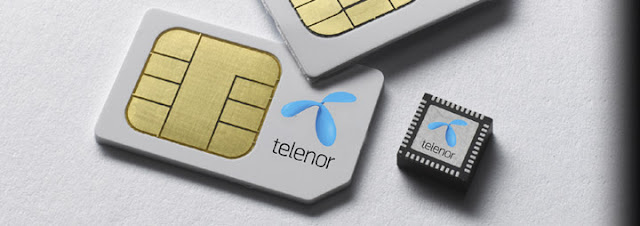
When the eSIM becomes available, it’s going to be an electronic SIM card that is not going to depend on the old method of introducing it to a device to work; it will already come built into the device. It’s a new standard from the GSMA, and the information it has is going to be rewritable or submissive by all operators.

Advantages of the eSIM
The advantages that the eSIM is going to offer users is that it is going to make things a lot easier when we want to switch carriers or data plans within our current carrier. You will also save a lot of time if you ever wish to change your carrier since it can be done with a simple phone call.

Upgrading devices is also going to be a lot easier. For example, let’s say that your current device uses micro SIM, but the device you want to get uses nano SIM. In this situation switching devices and info can be a real fuss. With eSIM all you have to do is register the new device, and you’re done!

Telco Profiles in the eSIM
The eSIM is going to hold the profiles of all of the associated companies, but only the ones you are using will be activated. Each profile will be a different company, just like every traditional SIM has its own carrier. It’s these profiles that are going to allow you to also have lines from a different carrier, just like you would in a device with two or even three SIM cards in the same device. For now, you can only have one profile activated, but the idea is to have multiple profiles running simultaneously.

The End of Roaming
You can also say goodbye to roaming because once you land in a foreign country, you can easily get a local line while still having the line you’ve always had back home.

The eSIM craze is going to have two parts. The first part is going to affect the wearables, tablets, and other devices, while the second part is going to be exclusively for the smartphones. Thanks to the eSIM, you are going to be able to connect multiple devices to a single plan with the carrier you have chosen. We still have to wait and see when the second part starts, but some say that it will start in June while others say that it will begin by the end of 2017.


Conclusion
Everything seems to indicate that the eSIM is something that is going to benefit us all, but only time will tell if there is something to fear about it. Do you think that the eSIM is something that will make things easier, or do you think it’s all part of an evil plan to keep us under control? Let us know in the comments.
Read More

How to Enable the Hidden Chess Game in Facebook Messenger

http://www.geekyharsha.in/2016/02/how-to-enable-hidden-chess-game-in.html#


You do not need a third-party app or anything like that to unhide the game; all you need to do is fire-up a command, and it will activate the game for you.

1. Launch a conversation with a friend you would like to play the game with.

2. When the conversation panel opens, send them a message that says “@fbchess play” (without quotes), and the game of chess will begin.

3. As soon as you send the above message to your friend, the conversation window will immediately show you the chess board to play the game.
http://www.geekyharsha.in/2016/02/how-to-enable-hidden-chess-game-in.html#
It will also tell you whose move it is; making a move is not as difficult as you may think. For instance, if you wish to move the Queen, simply use the letter Q, and the tile where you want to move it to. To move the Queen to B4 tile, use the following command: " @fbchess Qb4 " 

Similarly, you can move the other pieces you wish by using the first letter of the piece’s name and the location of the tile you want to move them to.

If you would like to maximize the chess board, then you can do so by clicking on the Settings icon in the chat window and selecting the “See Full Conversation” option. That should help you get a little larger view of the game.
http://www.geekyharsha.in/2016/02/how-to-enable-hidden-chess-game-in.html#
While many of us may not be experts in making a chess move, Facebook also helps you with that by letting you view the full information about how you can make a move. You can get access to that helpful information by typing in the command “@fbchess help” (again, without quotes), and that should show you all the related information about the secret game you are playing.

If things are not working well and you wish to offer a draw, you can do so by sending in the command “@fbchess draw offer” and the opponent will receive your request. Lastly, if you do not want to play the game anymore and wish to resign, then send in the command “@fbchess resign.”
Read More

Are Hackers Taking Over Your Phone?

BBC has a report on a bug in VoIP phone software that lets hackers in with just a few lines of code. They can then use the phone system to make expensive calls, and even listen in on your phone conversations.

http://www.geekyharsha.in/2016/02/are-hackers-taking-over-your-phone.html#

The mechanism is frighteningly simple: VoIP users–whether they’re residential or commercial–typically use the same internet connection to run their computers and their phones. By finding some specific lines of code in a site that the user has visited via the computer, the hackers can then apply those lines of code to the software running the phone. This is a massive oversimplification of the process, but never fear, scammers have it down pat.

Then, one of two processes occurs, both if you’re extremely unlucky. The hackers can eavesdrop on your phone conversations, and they’re able to rack up phone charges to charge-per-minute phone numbers. In an even funnier twist, the premium phone services can hire hackers to break into your VoIP phone system and quietly make these calls, thereby lining the premium service’s pockets and leaving you or your company to foot the bill. This becomes a lot less humorous when you factor in a company’s potential response to finding out your desk phone was used to make thousands of dollars’ worth of phone sex calls.
Read More

Apple Trade-in Program Will Replace Broken iPhones with New Ones

iPhones are delicate and it’s no big secret. But if you are an iPhone user, you are not alone in worrying about the safety of your device. Clearly Apple has been giving it some thought and seems to have come up with a solution. According to reports, Apple is about to launch a program that would allow customers to exchange their broken iPhones in return for credit to but a new one.

http://www.geekyharsha.in/2016/02/apple-trade-in-program-will-replace.html#

The models to be made part of this scheme include iPhone 5s, iPhone 6 and iPhone 6 Plus, as of now. Older models won’t be able to get their devices exchanged. The company would offer $50 against 5s and about $200 and $250. This trade-in program includes broken screens, buttons and cameras.

The trade-in program would be rolled out in the US soon, but no news on when it would be made available in India. We can expect it here in the next couple of months though, before the end of 2016.
Read More

How to Find Your Lost Computer with Windows 10

Before you get started, make sure that your computer has Windows 10 version 1511 or higher, let Microsoft record your device’s regular intervals and make sure that you are the administrator on your device. 
http://www.geekyharsha.in/2016/01/how-to-find-your-lost-computer-with.html#
How Finding Your Lost Computer Works

This feature is very easy to use, and what it does is that it sends your exact location from time to time to your Microsoft account. For this to work you will need to sign in with your Microsoft account. If you don’t have one you will be given the option to set one up since you need one to use the feature. To gain access to this feature you need to follow the below steps.

1. Go to “Settings.”

2. Go to “Update and Security.”

3. In the menu on the left, find and select “Find My Device.” Windows 10 doesn’t save your device’s location on a regular basis. To change this you will need to click on the “Change” button that is located in the “Find my Device” section.

http://www.geekyharsha.in/2016/01/how-to-find-your-lost-computer-with.html#

4. After clicking on the Change button, turn on “Save my device’s location periodically.” Once you have completed this the feature has been turned on.
Finding Your Device with Windows 10

If you ever need to find your device, the first site you will want to visit is the Device page on Microsoft’s official site. Remember to use the same login credentials that you are using on the device you are looking for.

Find your Windows 10 device in the listing of the devices that you have registered to your account, and select “Find my Device” located right next to the device you are looking for.

http://www.geekyharsha.in/2016/01/how-to-find-your-lost-computer-with.html#
After a moment you will receive the information about the last location of your device, and it will also provide you with a map. That obviously makes finding the device a whole lot easier. Keep in mind that the location may not be exact if your lost device does not have a built-in GPS.
Conclusion

Windows 10 has its pros and its cons, but this features that allows us to find our devices is definitely a good one. This feature will help many users find their lost or stolen devices and give them a happy ending to their story. If you found this information useful, don’t forget to give it a share, and let us know in the comments if you plan on activating this feature on your Windows 10 computer.
Read More

Microsoft plans to launch own SIM Card

http://www.geekyharsha.in/2016/01/microsoft-plans-to-launch-own-sim-card.html#

The software giant Microsoft is soon going to launch its own SIM card. The SIM card can be used only on Microsoft devices that have a SIM slot, which will allow the user to connect to various mobile networks through the app from Microsoft store without any contract. The project is currently under testing. The app is being designed to work on operating system ‘Windows 10’ and requires a Microsoft SIM Card. The user should have a Microsoft account to enable this feature.

It is not known which market the company has focused on and the pricings are yet to be revealed. It is said that Microsoft is planning to launch its own virtual mobile network to allow its users to connect to partner carriers. Though the app is currently available in the store, it will be of no use without the upcoming ‘Microsoft SIM Card’. So the company will soon come up with the updates.
Read More